
Im lost and need insight
-
Flyers28
- Posts: 77
- Joined: Mon Mar 11, 2013 7:08 pm
- Car: 2008 Altima Coupe 2.5 S
- Location: Pennsylvania
Im lost and need insight
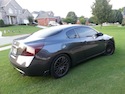
Alright so i bought a Gray 2008 Altima Coupe 2.5S a few weeks ago and want to add some features. I plan on doing an LED swap to the interior and license plate. That's the easy and cheapest upgrade (whats the best site to order these bulbs from) . But I also want to install fogs and HID package. I am not pre wired unfortunately so i plan on going the easy route and shelling out the money for a new Combo Stalk so i only have to send wires to the fuse box. But i am overwhelmed with options and what to do. I don't know what fog lights to buy or what i need for HID upgrade. I am looking at 5000k for lows. Id like the fogs to match the headlights so it looks like they belong together. These are going to have to be separate upgrades due to the price of stalk/fogs and HID's. I also have some money set aside for a dvd style head unit with Bluetooth (kenwood or pioneer most likely), but finding an installation kit with a matching console cover is proving difficult. The more and more i read here the more overwhelmed i get. So i decided to make a post in hopes you guys could offer up some insight. I am not looking to go "pimp my ride" crazy with the car just want to personalize it and give it a nice luxury sports style look.
-
xshinnyshinx
- Posts: 186
- Joined: Fri Jul 29, 2011 8:52 pm
- Car: 2011 Nissan Altima Coupe
Re: Im lost and need insight
I got my interior lights from store.ijdmtoy.com and fog lights I'm not too sure because I want one for myself too. Try using the search button. Check this out new-navigation-bluetooth-dvd-system-t556093.html I got myself one and it works great. Welcome to Nico!
-
Flyers28
- Posts: 77
- Joined: Mon Mar 11, 2013 7:08 pm
- Car: 2008 Altima Coupe 2.5 S
- Location: Pennsylvania
Re: Im lost and need insight
Thanks for the links. Yea been using the search function and that's what i mean by be being overwhelmed, haha, although still can't find quite what i am looking for. Probably cause i suck at searching for what i want. I have stumbled across that link of that gps system. it looks nice, just wonder how the audio quality and build would compare to something by kenwood or pioneer, but something to consider. Just slightly further out of my price range but if it matches the texture and look of OEM Console and works flawlessly might be worth the stretch in funds. My center console has that black textured style, i could not tell from the pictures if that's what was on that system. Thanks again for the link.xshinnyshinx wrote:I got my interior lights from store.ijdmtoy.com and fog lights I'm not too sure because I want one for myself too. Try using the search button. Check this out new-navigation-bluetooth-dvd-system-t556093.html I got myself one and it works great. Welcome to Nico!
-
Flyers28
- Posts: 77
- Joined: Mon Mar 11, 2013 7:08 pm
- Car: 2008 Altima Coupe 2.5 S
- Location: Pennsylvania
Re: Im lost and need insight
just out of curiosity which color scheme did you go with for interior. I cant decide between the cool white or xenon white, its difficult to judge based on pictures. the xenon looks crazy bright in the pictures,
-
xshinnyshinx
- Posts: 186
- Joined: Fri Jul 29, 2011 8:52 pm
- Car: 2011 Nissan Altima Coupe
Re: Im lost and need insight
I changed all the lights inside to blue and the license plate and trunk light to white
-
YoungCoupe
- Posts: 294
- Joined: Sat Sep 10, 2011 11:44 pm
- Car: 2011 Altima Coupe 2.5s Metallic slate
Re: Im lost and need insight
I can't tell you much about fog lights, but for HIDs all you really need is an HID kit. ddmtuning.com is where I got mine, but from what I've heard, they're hit or miss. I would recommend getting a projector retrofit before you put in HIDs so that the light is angled towards the ground not into other drivers' faces, but it's up to you.
This is what you want for your head unit. Part number 68260-ja00a. Only fits manual ac control.
Xenon white and cool white mean the same thing. Around a 6000k color, if you buy from a quality source. Ebay isn't a bad place to get little things like LEDs, but the best quality would be from v-leds.
This is what you want for your head unit. Part number 68260-ja00a. Only fits manual ac control.
Xenon white and cool white mean the same thing. Around a 6000k color, if you buy from a quality source. Ebay isn't a bad place to get little things like LEDs, but the best quality would be from v-leds.
-
Flyers28
- Posts: 77
- Joined: Mon Mar 11, 2013 7:08 pm
- Car: 2008 Altima Coupe 2.5 S
- Location: Pennsylvania
Re: Im lost and need insight
Awesome thanks. Yea I guess if I'm going to do hid I should do them up right. Time to start putting away for projectors as well. Looks like a good summer project.
-
VQpwrdSE-R
- Posts: 649
- Joined: Sat Dec 19, 2009 4:32 pm
- Car: 2005 Code Red Nissan Altima SE-R
2013 Nissan Altima SV - Location: Pennsylvania
Re: Im lost and need insight
I have their bulbs for my license plate. I had them for 2 years now with no problems. The quality is decent and I have no complaints but VLeds.com has some very nice stuff. I just messaged them and am looking for reverse bulbs for both altimas. They aren't running any promos now but "like" their Facebook page and you can get 15-25% off.xshinnyshinx wrote:I got my interior lights from store.ijdmtoy.com
-
Flyers28
- Posts: 77
- Joined: Mon Mar 11, 2013 7:08 pm
- Car: 2008 Altima Coupe 2.5 S
- Location: Pennsylvania
Re: Im lost and need insight
First upgrade done, got my interior lights upgraded to LED. Main are they intense, look nothing like the pictures but i guess just takes some time getting used to after being with incandescent for so long.
My next upgrade:
Kenwood DDX770 http://www.crutchfield.com/p_113DDX770/ ... 0&skipvs=T
Just gotta get the funds together for this one. Will have to put off fog lights but this is more fun than fogs. Anybody have any experience with this head unit. I decided to go Kenwood because they are more Android friendly then Pioneer. But my plans are to buy the Steering wheel controls with Bluetooth (currently have only audio controls) and hope the axxes will connect it all properly to the head unit.
Looked further into HID's, just don't think its going to happen at least no time soon. Pretty expensive to get projectors and putting my headlight assembly in the oven makes me to nervous.
My next upgrade:
Kenwood DDX770 http://www.crutchfield.com/p_113DDX770/ ... 0&skipvs=T
Just gotta get the funds together for this one. Will have to put off fog lights but this is more fun than fogs. Anybody have any experience with this head unit. I decided to go Kenwood because they are more Android friendly then Pioneer. But my plans are to buy the Steering wheel controls with Bluetooth (currently have only audio controls) and hope the axxes will connect it all properly to the head unit.
Looked further into HID's, just don't think its going to happen at least no time soon. Pretty expensive to get projectors and putting my headlight assembly in the oven makes me to nervous.
-
AlexN09
- Posts: 1051
- Joined: Sat Jun 11, 2011 7:07 am
- Car: 2011 Nissan Altima Coupe S 2.5
- Location: Nashville, TN
Re: Im lost and need insight
Hey have you found the double din dash kit yet? It's actually made by Nissan and has the exact factory fit and finish. Not very expensive either buy it only works if you have manual climate controls, it does not fit with the automatic.
If you have auto climate controls you can use the factory GPS unit dash kit but the opening is slightly wide and you'll need to fab up a little trim panel.
If you have auto climate controls you can use the factory GPS unit dash kit but the opening is slightly wide and you'll need to fab up a little trim panel.
-
Flyers28
- Posts: 77
- Joined: Mon Mar 11, 2013 7:08 pm
- Car: 2008 Altima Coupe 2.5 S
- Location: Pennsylvania
Re: Im lost and need insight
Yea i found it thanks to your post previously where you supplied the part number. Found it new on ebay for pretty cheap. Im also forgoing the steering wheel controls, bluetooth controls on my steering wheel is not necessary so that will bring the total install cost down. Do you know how wide that opening is. Im hoping a 7" screen will fill that opening so its a perfect fit with minimal gaps between.AlexN09 wrote:Hey have you found the double din dash kit yet? It's actually made by Nissan and has the exact factory fit and finish. Not very expensive either buy it only works if you have manual climate controls, it does not fit with the automatic.
If you have auto climate controls you can use the factory GPS unit dash kit but the opening is slightly wide and you'll need to fab up a little trim panel.
-
AlexN09
- Posts: 1051
- Joined: Sat Jun 11, 2011 7:07 am
- Car: 2011 Nissan Altima Coupe S 2.5
- Location: Nashville, TN
Re: Im lost and need insight
Well if you have the manual climate controls then yes a 7" screen fits perfectly. However if you have the automatic climate controls than I believe there will be a small gap on either side.
-
Flyers28
- Posts: 77
- Joined: Mon Mar 11, 2013 7:08 pm
- Car: 2008 Altima Coupe 2.5 S
- Location: Pennsylvania
Re: Im lost and need insight
Awesome Thanks, Yea i got manual controls. Cant wait till i can get this unit installed. In print it seems like a pretty sweet system.AlexN09 wrote:Well if you have the manual climate controls then yes a 7" screen fits perfectly. However if you have the automatic climate controls than I believe there will be a small gap on either side.
-
AlexN09
- Posts: 1051
- Joined: Sat Jun 11, 2011 7:07 am
- Car: 2011 Nissan Altima Coupe S 2.5
- Location: Nashville, TN
Re: Im lost and need insight
Btw have you figured out your other questions regarding the fog lights/HIDs and LEDs?
-
Flyers28
- Posts: 77
- Joined: Mon Mar 11, 2013 7:08 pm
- Car: 2008 Altima Coupe 2.5 S
- Location: Pennsylvania
Re: Im lost and need insight
Fog lights no. I still believe i can just install the stalk then simply install fogs and wire to pins 86/87 or whatever they were. But as far as that i am not sure what all i need as far as type (recommended brand) of fogs and any wiring ill need if not included.AlexN09 wrote:Btw have you figured out your other questions regarding the fog lights/HIDs and LEDs?
HID's are going to have to wait a while. I contacted retrofit source to find out what all id need to install projectors and its just to pricey right now and not an immediate necessity. Not to mention i do not trust myself putting the lights in the oven quite yet, haha.
LEDS, yea just installed them the other day. Still getting used to them.
-
AlexN09
- Posts: 1051
- Joined: Sat Jun 11, 2011 7:07 am
- Car: 2011 Nissan Altima Coupe S 2.5
- Location: Nashville, TN
Re: Im lost and need insight
Cool, yeah LEDs are a neat addition and really make your car look nicer.
I wouldn't be too afraid of baking the lights open but I would be afraid of doing a bad job putting them back together without any fogging issues.
The fogs aren't too hard. I used a kit for 2008 models and retrofitted it for my 2010 bumper. You are right about wiring into those pins with the new stalk. You will need to wire the positive leads to the fuse box and the ground leads to the headlight ground. You'll need to trim piece for your bumper as well.
I wouldn't be too afraid of baking the lights open but I would be afraid of doing a bad job putting them back together without any fogging issues.
The fogs aren't too hard. I used a kit for 2008 models and retrofitted it for my 2010 bumper. You are right about wiring into those pins with the new stalk. You will need to wire the positive leads to the fuse box and the ground leads to the headlight ground. You'll need to trim piece for your bumper as well.
-
Flyers28
- Posts: 77
- Joined: Mon Mar 11, 2013 7:08 pm
- Car: 2008 Altima Coupe 2.5 S
- Location: Pennsylvania
Re: Im lost and need insight
Trim piece? My car has the cutouts already in the bumper if that's what your referring to.AlexN09 wrote:Cool, yeah LEDs are a neat addition and really make your car look nicer.
I wouldn't be too afraid of baking the lights open but I would be afraid of doing a bad job putting them back together without any fogging issues.
The fogs aren't too hard. I used a kit for 2008 models and retrofitted it for my 2010 bumper. You are right about wiring into those pins with the new stalk. You will need to wire the positive leads to the fuse box and the ground leads to the headlight ground. You'll need to trim piece for your bumper as well.
-
AlexN09
- Posts: 1051
- Joined: Sat Jun 11, 2011 7:07 am
- Car: 2011 Nissan Altima Coupe S 2.5
- Location: Nashville, TN
Re: Im lost and need insight
Oh okay I wasn't sure. On the 2010s and up the fogless coupes come with different trim pieces. I had to buy the left and right trim pieces with the cutouts for fogs. I also used a kit that included a relay and switch that I ran through the firewall and into a punch out next to the traction control switch.
-
Flyers28
- Posts: 77
- Joined: Mon Mar 11, 2013 7:08 pm
- Car: 2008 Altima Coupe 2.5 S
- Location: Pennsylvania
Re: Im lost and need insight
Yea i was going to go this route but the stalk just seems so much easier, even though you pay for it.AlexN09 wrote:Oh okay I wasn't sure. On the 2010s and up the fogless coupes come with different trim pieces. I had to buy the left and right trim pieces with the cutouts for fogs. I also used a kit that included a relay and switch that I ran through the firewall and into a punch out next to the traction control switch.
Any ideas where i could get a wire harness for the above mentioned head unit. I contacted both kenwood and crutchfield to see if they sold the harnesses and antenna adapter separately but they do not. My plan was to buy the unit off ebay since it was cheaper, but if the harness turns out to be more then i thought ill simply buy it from crutchfield and get everything i need and problem solved.
-
Flyers28
- Posts: 77
- Joined: Mon Mar 11, 2013 7:08 pm
- Car: 2008 Altima Coupe 2.5 S
- Location: Pennsylvania
Re: Im lost and need insight
nvm, just realized i can use any aftermarket wiring harness that fits an 08 coupe and is not particular to the player. Found the Metra harness and adapter on amazon for pretty cheap. Hopefully it works.
-
AlexN09
- Posts: 1051
- Joined: Sat Jun 11, 2011 7:07 am
- Car: 2011 Nissan Altima Coupe S 2.5
- Location: Nashville, TN
Re: Im lost and need insight
That's the harness that In used and it had everything except steering wheel controls which have to be tapped further back before the harness. Although I believe you said you weren't using steering wheel controls.
-
Flyers28
- Posts: 77
- Joined: Mon Mar 11, 2013 7:08 pm
- Car: 2008 Altima Coupe 2.5 S
- Location: Pennsylvania
Re: Im lost and need insight
No ill be using steering wheel controls. Going to buy the Metra Axxess in order to use the controls. I just wasn't going to bother upgrading my controls to a Bluetooth equipped steering wheel.AlexN09 wrote:That's the harness that In used and it had everything except steering wheel controls which have to be tapped further back before the harness. Although I believe you said you weren't using steering wheel controls.

Re: Im lost and need insight
I don't mean to be the party pooper here but.. none of that is going to get you to what you really want ^Flyers28 wrote: I am not looking to go "pimp my ride" crazy with the car just want to personalize it and give it a nice luxury sports style look.
I know it's a bunch of small mods but they eventually add up. Save up get a set of wheels and lower the car so it can actually get a sports style look.
-
Flyers28
- Posts: 77
- Joined: Mon Mar 11, 2013 7:08 pm
- Car: 2008 Altima Coupe 2.5 S
- Location: Pennsylvania
Re: Im lost and need insight
Yea I hear ya. Wheels are definitely in the future.I just wanted to knock out these little things. Head unit and fogs are my last expense before I save up for something like that. Right now those are the 2 important things, improved visibility and entertainment. HID upgrade has moved to the bottom of the list so I am able to make these upgrades such as tires and suspension.SanoSuKe wrote:I don't mean to be the party pooper here but.. none of that is going to get you to what you really want ^Flyers28 wrote: I am not looking to go "pimp my ride" crazy with the car just want to personalize it and give it a nice luxury sports style look.
I know it's a bunch of small mods but they eventually add up. Save up get a set of wheels and lower the car so it can actually get a sports style look.
-
Flyers28
- Posts: 77
- Joined: Mon Mar 11, 2013 7:08 pm
- Car: 2008 Altima Coupe 2.5 S
- Location: Pennsylvania
Re: Im lost and need insight
Alright so i finally got my headunit, Pioneer Avh-x8500bhs. Now its time to install and cant find instructions I thought i once found on this site.
Parts i have:
Metra Wire Harness
Antenna Adapter
Parking Brake Bypass
Metra Axxes steering wheel control
OEM Faceplate
Hopefully i have everything required for install. The only instructions i can find are for the steering wheel control. Need instructions on wiring connections etc. Hopefully someone can point me in the right direction. I guess my main question is where (best spot) do i connect the ground wire coming out of the pioneer wire harness to. I really wish i could find the write up that i found before but search is turning up nothing and the FAQ page is a white out when i click on anything.
Parts i have:
Metra Wire Harness
Antenna Adapter
Parking Brake Bypass
Metra Axxes steering wheel control
OEM Faceplate
Hopefully i have everything required for install. The only instructions i can find are for the steering wheel control. Need instructions on wiring connections etc. Hopefully someone can point me in the right direction. I guess my main question is where (best spot) do i connect the ground wire coming out of the pioneer wire harness to. I really wish i could find the write up that i found before but search is turning up nothing and the FAQ page is a white out when i click on anything.
Last edited by Flyers28 on Sat May 04, 2013 10:56 am, edited 1 time in total.
-
AlexN09
- Posts: 1051
- Joined: Sat Jun 11, 2011 7:07 am
- Car: 2011 Nissan Altima Coupe S 2.5
- Location: Nashville, TN
Re: Im lost and need insight
Any how-to about installing an aftermarket radio should do. Here are the order of things you should do:
1. Learn how to remove the factory radio
2. Install the new faceplate onto your aftermarket radio (This may require borrowing some brackets or screws from the factory stereo).
3. Take the wiring harness from your aftermarket stereo and wire it up to the Metra wiring harness. Both harnesses should have labels that match up to each other.
4.Hook up the antenna adapter and I believe it may require some power from your blue system control wire.
5. Peel back the insulation behind the factory harness and locate the two wires needed for steering wheel controls and hook that up (also needs blue SC wire).
6. Plug up the harnesses and test all radio functions to ensure proper installation.
1. Learn how to remove the factory radio
2. Install the new faceplate onto your aftermarket radio (This may require borrowing some brackets or screws from the factory stereo).
3. Take the wiring harness from your aftermarket stereo and wire it up to the Metra wiring harness. Both harnesses should have labels that match up to each other.
4.Hook up the antenna adapter and I believe it may require some power from your blue system control wire.
5. Peel back the insulation behind the factory harness and locate the two wires needed for steering wheel controls and hook that up (also needs blue SC wire).
6. Plug up the harnesses and test all radio functions to ensure proper installation.
-
Flyers28
- Posts: 77
- Joined: Mon Mar 11, 2013 7:08 pm
- Car: 2008 Altima Coupe 2.5 S
- Location: Pennsylvania
Re: Im lost and need insight
Thanks for the reply. Alright seems simple enough. Whats the best place to connect the ground wire coming out of the pioneer wire harness. it will probably make more sense to me once i pop out the radio and see what i am dealing with. Ill probably find i am asking dumb questions.
-
AlexN09
- Posts: 1051
- Joined: Sat Jun 11, 2011 7:07 am
- Car: 2011 Nissan Altima Coupe S 2.5
- Location: Nashville, TN
Re: Im lost and need insight
No don't worry about asking questions, I wouldn't take the time to reply if I didn't care. I believe i just grounded mine to a bolt on the steel frame behind the stereo. I don't get any ground loop noise or anything.
-
Flyers28
- Posts: 77
- Joined: Mon Mar 11, 2013 7:08 pm
- Car: 2008 Altima Coupe 2.5 S
- Location: Pennsylvania
Re: Im lost and need insight
one last question before i tackle the install. Why couldn't i just crimp together black on the metra wire harness (even though it says for subaru only) to black on the pioneer harness. Shouldn't the original vehicles wire harness be grounded already.
-
AlexN09
- Posts: 1051
- Joined: Sat Jun 11, 2011 7:07 am
- Car: 2011 Nissan Altima Coupe S 2.5
- Location: Nashville, TN
Re: Im lost and need insight
Well to be honest I don't know whether or not the vehicle harness ground matches up. Mine said Subaru only and I have other devices installed sharing the same ground.