
Im lost and need insight
-
Flyers28
- Posts: 77
- Joined: Mon Mar 11, 2013 7:08 pm
- Car: 2008 Altima Coupe 2.5 S
- Location: Pennsylvania
Re: Im lost and need insight
alright, so to be safe ill just ground each wire to the same screw on metal. Its the Metra ASWC install thats got me the most confused. That part should be fun.
-
AlexN09
- Posts: 1051
- Joined: Sat Jun 11, 2011 7:07 am
- Car: 2011 Nissan Altima Coupe S 2.5
- Location: Nashville, TN
Re: Im lost and need insight
I followed the instructions found in the little booklet and found them to be completely accurate and straightforward. I know, however, that quite a few people have struggle with it so I might be able to clear that up a little for you when the time comes.
-
Flyers28
- Posts: 77
- Joined: Mon Mar 11, 2013 7:08 pm
- Car: 2008 Altima Coupe 2.5 S
- Location: Pennsylvania
Re: Im lost and need insight
Got the unit all installed minus the metra aswc, ran out of time so will have to take it apart to install that. But seems to be working. Had to ground to 3 different bolts behind the head unit due to cable length. But hopefully its grounded good. Need to find a better spot for the mic, buddy said I sounded like crap. All in all I'm happy with the unit. Thanks for the help
-
AlexN09
- Posts: 1051
- Joined: Sat Jun 11, 2011 7:07 am
- Car: 2011 Nissan Altima Coupe S 2.5
- Location: Nashville, TN
Re: Im lost and need insight
Yeah no problem, glad you're getting it all hooked up. Those mics that they send out with the head units supposedly work fine but the cables can be extremely fragile. If you string the cable along through your dash and up an A pillar then there is potential for them to get pinched. The outer shield and wire inside the mic cable get shorted together and then you sound like crap on the phone. Apparently it's common as it happened to me as well.
-
Flyers28
- Posts: 77
- Joined: Mon Mar 11, 2013 7:08 pm
- Car: 2008 Altima Coupe 2.5 S
- Location: Pennsylvania
Re: Im lost and need insight
Sooo ive run into some trouble. installing the metra axxess, followed the instructions turned everything on and now i get no sound from my speakers....volume is turned up. And of course metra support is closed.
Edit:
Speakers work but no luck with the stw. I only get solid red and sometimes just a steady blinking read.
Edit:
Speakers work but no luck with the stw. I only get solid red and sometimes just a steady blinking read.
-
Flyers28
- Posts: 77
- Joined: Mon Mar 11, 2013 7:08 pm
- Car: 2008 Altima Coupe 2.5 S
- Location: Pennsylvania
Re: Im lost and need insight
alright was able to contact Metra and they confirmed that the wire colors were wrong even though i counted and counted again the pin numbers...... So going to try the right colors and a different ground source and it should work. Just curious who didn't use solder and has a flawless steering wheel controls. Not trying to risk a burn mark on my interior with a soldering gun if i don't have to.
-
AlexN09
- Posts: 1051
- Joined: Sat Jun 11, 2011 7:07 am
- Car: 2011 Nissan Altima Coupe S 2.5
- Location: Nashville, TN
Re: Im lost and need insight
Oh hey I forgot to check this thread!!! I didn't use solder and I'm not really afraid of connections failing. If you use an appropriately sized crimp connector it should hold up fine considering there's not much motion on those wires. I counted the pins and it worked first time. If you don't have any luck I can pull it all out and take a pic of the colors for you.
-
Flyers28
- Posts: 77
- Joined: Mon Mar 11, 2013 7:08 pm
- Car: 2008 Altima Coupe 2.5 S
- Location: Pennsylvania
Re: Im lost and need insight
Nah no need to pull it out I'll get it right this time around. That's good news cause I do not feel like soldering in my car. Just out of curiosity where did you connect your ground to. I was told to use a dedicated ground and I am running out of bolts. Plus the bolts I've chosen are showing a not so good ground. I think I'll have to length my ground wire and run somewhere else.
-
AlexN09
- Posts: 1051
- Joined: Sat Jun 11, 2011 7:07 am
- Car: 2011 Nissan Altima Coupe S 2.5
- Location: Nashville, TN
Re: Im lost and need insight
Well I used the bolts just on the steel frame that the radio is bolted to and I just grounded like three things to the same point. I got out the dremel with a wire wheel and cleaned up the surface. I do have a dedicated ground point on the firewall with a distribution block that I ground my amp and processor to. I don't really think that your ground is gonna be a huge problem for you.
-
Flyers28
- Posts: 77
- Joined: Mon Mar 11, 2013 7:08 pm
- Car: 2008 Altima Coupe 2.5 S
- Location: Pennsylvania
Re: Im lost and need insight
Alright cool. Thanks man for all the help
-
Flyers28
- Posts: 77
- Joined: Mon Mar 11, 2013 7:08 pm
- Car: 2008 Altima Coupe 2.5 S
- Location: Pennsylvania
Re: Im lost and need insight
Finally got it working. never got a green light but all controls work so i quick put everything back and washed my hands of it. I do not want to have to pull out that stereo for a very long time.
-
AlexN09
- Posts: 1051
- Joined: Sat Jun 11, 2011 7:07 am
- Car: 2011 Nissan Altima Coupe S 2.5
- Location: Nashville, TN
Re: Im lost and need insight
Hahaha congratulations! I know how you feel about it. It was a learning process for me as well and I've pulled it out several times as I fix things and expand my system!
Post some pictures of the finished product!
Post some pictures of the finished product!
-
Flyers28
- Posts: 77
- Joined: Mon Mar 11, 2013 7:08 pm
- Car: 2008 Altima Coupe 2.5 S
- Location: Pennsylvania
Re: Im lost and need insight
Here is my final install. Need to touch up on some photoshop skills and create a new background image with either nissan logo or phillies theme. Theres a slight gap between the unit and the faceplate but i can live with it. Only complaint is the glare on the screen during the day, can hardly see the screen. But other then that its great.
Not sure how to post pics so here's the link:
http://s1300.photobucket.com/user/Clambake28/library/
Not sure how to post pics so here's the link:
http://s1300.photobucket.com/user/Clambake28/library/
-
AlexN09
- Posts: 1051
- Joined: Sat Jun 11, 2011 7:07 am
- Car: 2011 Nissan Altima Coupe S 2.5
- Location: Nashville, TN
Re: Im lost and need insight
Hey, congratulations. It looks great and even cooler because you did it yourself. I thought I would be happy when I replaced my headunit, and I was for a while... But that install only led to a complete audio install that I spent probably eighty or more hours on !
-
Flyers28
- Posts: 77
- Joined: Mon Mar 11, 2013 7:08 pm
- Car: 2008 Altima Coupe 2.5 S
- Location: Pennsylvania
Re: Im lost and need insight
Thanks. Yea I know I'll be shopping for speakers eventually although stocks are not to terrible. But first I need a tint and fogs. I'd like tires and possibly coilovers to remove the wheel gap but that's an expense I'm not ready for.
Thanks again for the help.
Thanks again for the help.
-
AlexN09
- Posts: 1051
- Joined: Sat Jun 11, 2011 7:07 am
- Car: 2011 Nissan Altima Coupe S 2.5
- Location: Nashville, TN
Re: Im lost and need insight
Yeah I did my own tint and fogs and they both came out great!! I wouldn't necessarily reccomend tinting yourself as you probably won't see any money after you have to start over several times haha. Anyhow make sure you keep us posted on all of your progress.
-
Flyers28
- Posts: 77
- Joined: Mon Mar 11, 2013 7:08 pm
- Car: 2008 Altima Coupe 2.5 S
- Location: Pennsylvania
Re: Im lost and need insight
Bringing my thread back to life. Got Eibach springs on order, unfortunately the camber bolts had to be special ordered so i have to wait 3-4 weeks. So in the mean time i am looking at upgrading my front end. I need a new grill i can not stand the chrome honeycomb look any longer. Not trying to drop a ton of money so i am kinda ruling out the stillen front fascia at 400 bucks and still would require painting. I just can not make up my mind on what looks good on my coupe. I like the looks of the g35 front end and was trying to replicate that, but no real luck.
Here is a pic of my coupe. If anybody has photoshop skills feel free to shop up a photo with your suggested grill. Not the best photo. Should have taken one showing more of the car to get a better feel, but you get the idea...chrome grills suck.

My future plan is to find gunmetal rims for my car if that affects what grill i should get.
Thanks in advance
Here is a pic of my coupe. If anybody has photoshop skills feel free to shop up a photo with your suggested grill. Not the best photo. Should have taken one showing more of the car to get a better feel, but you get the idea...chrome grills suck.

My future plan is to find gunmetal rims for my car if that affects what grill i should get.
Thanks in advance
-
AlexN09
- Posts: 1051
- Joined: Sat Jun 11, 2011 7:07 am
- Car: 2011 Nissan Altima Coupe S 2.5
- Location: Nashville, TN
Re: Im lost and need insight
A lot of guys pre-2010 use the cmod grill and it looks really great. Look at RCboy's paint scheme on it as I think that's the bet look.
-
AlexN09
- Posts: 1051
- Joined: Sat Jun 11, 2011 7:07 am
- Car: 2011 Nissan Altima Coupe S 2.5
- Location: Nashville, TN
Re: Im lost and need insight
Best* look (edit).AlexN09 wrote:A lot of guys pre-2010 use the cmod grill and it looks really great. Look at RCboy's paint scheme on it as I think that's the bet look.
-
DJ_B_Easy

- Posts: 3593
- Joined: Tue Jan 19, 2010 3:16 pm
- Car: 2017 GMC Sierra All Terrain X
- Location: NJ
Re: Im lost and need insight
Pretty sure the chrome part of the honeycomb should pop right off, its just an aftermarket overlay. You will be left with a grey honeycomb and the chrome mustache. I painted my honeycomb jet black and color matched the mustache and burger to the dark slate of the rest of the car.
Terrible pic but you get the idea.

-
Flyers28
- Posts: 77
- Joined: Mon Mar 11, 2013 7:08 pm
- Car: 2008 Altima Coupe 2.5 S
- Location: Pennsylvania
Re: Im lost and need insight
Thanks guys for the replies. At first I didnt like the cmod but its starting to grow on me after looking at rcboys.
Painting it was another option, just not sure what scheme. Thought about black and if I do paint probably my better option. Thought about painting it a matte aluminum type look, something to take the shine out. Thanks for the pic DJ. That looks pretty good, doesn't look black though.
Painting it was another option, just not sure what scheme. Thought about black and if I do paint probably my better option. Thought about painting it a matte aluminum type look, something to take the shine out. Thanks for the pic DJ. That looks pretty good, doesn't look black though.
-
DJ_B_Easy
- Posts: 3593
- Joined: Tue Jan 19, 2010 3:16 pm
- Car: 2017 GMC Sierra All Terrain X
- Location: NJ
Re: Im lost and need insight
Oh its definitely black. Has a layer of NJ road salt on it so it doesn't look quite as dark as it actually is. Let me see if I can find another pic.Flyers28 wrote:Thanks for the pic DJ. That looks pretty good, doesn't look black though.
EDIT: Found one, its actually flat black in this pic. I repainted it to jet shortly after. This doesn't really give the full effect though.

-
Flyers28
- Posts: 77
- Joined: Mon Mar 11, 2013 7:08 pm
- Car: 2008 Altima Coupe 2.5 S
- Location: Pennsylvania
Re: Im lost and need insight
Oh yea now I see. Looks good.
-
Flyers28
- Posts: 77
- Joined: Mon Mar 11, 2013 7:08 pm
- Car: 2008 Altima Coupe 2.5 S
- Location: Pennsylvania
Re: Im lost and need insight
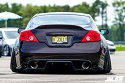
decided to mess around with photoshop. Don't mind the awful photoshop skills but the idea is a gunmetal painted grill. The mustache is painted to match the car and left the burger chromed. Don't know if the effect is achieved in this pic but it helps with the visualization. Next i will try and shop the cmod grill. Still leaning toward the cmod but wanted to throw around some paint schemes that might work. So looking for input on gunmetal painted grill. kinda trying to go for the semi matte finish like on the infiniti grills.
Pic kinda sucks

Pic kinda sucks

-
AlexN09
- Posts: 1051
- Joined: Sat Jun 11, 2011 7:07 am
- Car: 2011 Nissan Altima Coupe S 2.5
- Location: Nashville, TN
Re: Im lost and need insight
I can(*) see your picture.
Last edited by AlexN09 on Mon Jul 29, 2013 8:46 pm, edited 1 time in total.
Re: Im lost and need insight
I'd go with the C-mod. One thing I hated about my old altima coupe is that it's front end looked too similar to the Sedans. C-mod or Stillen fascia imo. It's up to you of course, I just think it's cleaner.
-
Flyers28
- Posts: 77
- Joined: Mon Mar 11, 2013 7:08 pm
- Car: 2008 Altima Coupe 2.5 S
- Location: Pennsylvania
Re: Im lost and need insight
Yea I know what ya mean. Wish I could afford the stillen fascia that's got the best look. But yea leaning heavily towards cmod and hoping ill like it. Looks good on other cars hard to say what it will look like on mine. Thanks for the input.SanoSuKe wrote:I'd go with the C-mod. One thing I hated about my old altima coupe is that it's front end looked too similar to the Sedans. C-mod or Stillen fascia imo. It's up to you of course, I just think it's cleaner.
-
Flyers28
- Posts: 77
- Joined: Mon Mar 11, 2013 7:08 pm
- Car: 2008 Altima Coupe 2.5 S
- Location: Pennsylvania
Re: Im lost and need insight
Anybody have experience with Precision Grilles. The installation requires cutting and not sure how difficult this makes the install and what the final appearance will look like. I like the cmod grill i just dont like seeing the radiator and the support bar even if they are painted black. So i saw this as an alternative. Its to much chrome so if i were to go this route id paint the trim and stache to color match my precision grey, then probably paint the mesh black. Thoughts? or still cmod?
http://www.precisiongrilles.com/?page=v ... m=52936099
http://www.precisiongrilles.com/?page=v ... m=52936099
-
DJ_B_Easy
- Posts: 3593
- Joined: Tue Jan 19, 2010 3:16 pm
- Car: 2017 GMC Sierra All Terrain X
- Location: NJ
Re: Im lost and need insight
I'm pretty sure that's just an overlay as well, goes right on top of the honeycomb. 
-
Flyers28
- Posts: 77
- Joined: Mon Mar 11, 2013 7:08 pm
- Car: 2008 Altima Coupe 2.5 S
- Location: Pennsylvania
Re: Im lost and need insight
Nah everything I read says you cut your original grille out of the frame and it fits where the old one was. But that means I lose my stock grille should for any reason I need to put it back on.DJ_B_Easy wrote:I'm pretty sure that's just an overlay as well, goes right on top of the honeycomb.