
you bought it because it was on sale, I have the same compulsion on items I am on the fence with. Usually a good sale always does the trick of persuading me into my purchase.
I am a frequent victim of Amazon's lightning deals.
did you know you can buy beef jerky from Amazon?

I bought a Kindle. I don't know why.
-
Looneybomber

- Posts: 9140
- Joined: Sun Mar 07, 2004 3:05 pm
- Car: 02 explorer sprt (grn)
10 G37S (white)
Re: I bought a Kindle. I don't know why.
Penn, that's really not that bad. Gaming doesn't eat up near the bandwidth that downloading does, especially with the 25GB blu ray rips that are becoming more common.PoorManQ45 wrote:I know that home ISPs are touching on bandwidth caps. This is just insane to me too as I'm a gamer. On an average night two computers will pull/push over a gigabyte!

Re: I bought a Kindle. I don't know why.
This is the problem with stuff like this.Razi wrote:I love the feeling of holding and reading a real book as well, but I read e-books when I want to read a rare book that's hard or too expensive to purchase.
Things that were once rare and desirable are now nothing more than another title in the marketplace.
I don't see the need for e-readers, but that's just me.

Re: I bought a Kindle. I don't know why.
I also don't trust myself with handling an out of production book. :P

Re: I bought a Kindle. I don't know why.
Once electronic textbooks become widespread, I'll be put out of business. Oh well. For now, publishers are worried about clever college kids figuring out how to pirate copy-protected e-books. Since each book is $80-$400 new, the potential loss of revenue is huge.
But it'll happen eventually. 'Minus whale' embrace it.
But it'll happen eventually. 'Minus whale' embrace it.
-
AZ89two4Tsx

- Posts: 13634
- Joined: Sat Mar 08, 2008 8:02 am
Re: I bought a Kindle. I don't know why.
Why would anyone waste their time hacking an electronic book reader? Don't you have better things to do?
OOOOOOooooooo!!!!! Ahhhhhhh!!!!! I can use GOOGLE MAPS!!!!! Who cares you queer! It's in black and white! Go back to playing WOW you geek.
/rant
On a side note, I was on a plane yesterday and the dude I was sitting next to had one of these. In all honesty, it was pretty lame. The resolution was weak, it was in black and white, and overall looked pretty much like a big palm pilot. I'd much rather spend the extra cash to get an Ipad. Plus when I got bored of books, I could do other things. Like look at teh pronz.
OOOOOOooooooo!!!!! Ahhhhhhh!!!!! I can use GOOGLE MAPS!!!!! Who cares you queer! It's in black and white! Go back to playing WOW you geek.
/rant
On a side note, I was on a plane yesterday and the dude I was sitting next to had one of these. In all honesty, it was pretty lame. The resolution was weak, it was in black and white, and overall looked pretty much like a big palm pilot. I'd much rather spend the extra cash to get an Ipad. Plus when I got bored of books, I could do other things. Like look at teh pronz.
-
AppleBonker

- Posts: 17313
- Joined: Thu Jul 17, 2008 4:40 am
- Car: Useful: 2011 Nissan Titan Pro-4x
Daily: 2003 Honda Accord EX-L Coupe
Hers: 2014 Nissan Rogue SL AWD - Location: NW Indiana
-
AZ89two4Tsx
- Posts: 13634
- Joined: Sat Mar 08, 2008 8:02 am
Re: I bought a Kindle. I don't know why.
Lol, why would you read something erotic? I want the real thing! Well, not really, just a video.
My friend uses mobileboner. Idk if it's any good, but it's FREE STREAMING VIDEOS on an apple mobile device. What more could you possibly want from life?
My friend uses mobileboner. Idk if it's any good, but it's FREE STREAMING VIDEOS on an apple mobile device. What more could you possibly want from life?
-
AppleBonker
- Posts: 17313
- Joined: Thu Jul 17, 2008 4:40 am
- Car: Useful: 2011 Nissan Titan Pro-4x
Daily: 2003 Honda Accord EX-L Coupe
Hers: 2014 Nissan Rogue SL AWD - Location: NW Indiana
Re: I bought a Kindle. I don't know why.
IRL girlfriend?
Jesda, I anxiously await your review. I actually almost bought my mom the Kindle after you mentioned the cheap price. However, she seems to actually be a bit more interested in an iPad...
Jesda, I anxiously await your review. I actually almost bought my mom the Kindle after you mentioned the cheap price. However, she seems to actually be a bit more interested in an iPad...
Re: I bought a Kindle. I don't know why.
The iPad is an extra $350. You're talking about a completely different category of device -- neither is a direct competitor. "Pay the difference" in this case means paying almost triple. That's like saying "Just pay the difference and get a Lambo, your Tercel is slow". Well, great, are you pitching in?AZ89two4Tsx wrote:Why would anyone waste their time hacking an electronic book reader? Don't you have better things to do?
OOOOOOooooooo!!!!! Ahhhhhhh!!!!! I can use GOOGLE MAPS!!!!! Who cares you queer! It's in black and white! Go back to playing WOW you geek.
/rant
On a side note, I was on a plane yesterday and the dude I was sitting next to had one of these. In all honesty, it was pretty lame. The resolution was weak, it was in black and white, and overall looked pretty much like a big palm pilot. I'd much rather spend the extra cash to get an Ipad. Plus when I got bored of books, I could do other things. Like look at teh pronz.
I like the iPad a lot for the way it makes multimedia content feel more intimate and direct, but at $500 I can wait for the next version to bring down resale values on the old version. It feels more like $350 worth of tablet.
As for hacking the Kindle, I'd do it just for s***, not to retain basic functionality. I like the idea of jailbreaking and hacking devices if its completely optional and quickly reversible, not if its necessary to enjoy the device for its intended purpose. [Its not an HTC Evo.]
I guess we'll see when they finally ship it. At $150 I can eBay it and get all of my money back.
-
MinisterofDOOM

- Moderator
- Posts: 30928
- Joined: Wed May 19, 2004 5:51 pm
- Car: 1962 Corvair Monza
1961 Corvair Lakewood
1974 Unimog 404
1997 Pathfinder XE
2005 Lincoln LS8
Former:
1995 Q45t
1993 Maxima GXE
1995 Ranger XL 2.3
1984 Coupe DeVille - Location: The middle of nowhere.
Re: I bought a Kindle. I don't know why.
You're looking at it as the wrong kind of device.AZ89two4Tsx wrote:On a side note, I was on a plane yesterday and the dude I was sitting next to had one of these. In all honesty, it was pretty lame. The resolution was weak, it was in black and white, and overall looked pretty much like a big palm pilot. I'd much rather spend the extra cash to get an Ipad. Plus when I got bored of books, I could do other things. Like look at teh pronz.
They're black and white for a functional reason. The screen is not LCD. It's specifically designed to emulate the visual properties of paper as closely as possible. Good contrast, easy on the eyes, highly visible in ambient light, with no need for a backlight.
And the resolution is NOT weak. In fact it's fantastic. Your eyes are defective or something. The Kindle's resolution is actually BETTER than the iPad's. But e-ink doesn't have distinct square pixels anyway, and lacks the distinct gaps between pixels. In fact, the way e-ink pixels work, there is only a physical gap between every other pixel.
The entire purpose of ebook readers is to provide a compact, portable format for literature that offers the most readable display possible for the purpose of displaying static content. That's all they're meant to do, and they do it really well. It excels at one thing, doesn't even bother with the rest. Versus the iPad trying to do a lot of things and failing at all of them.
The idea of having my whole literature library in my hand at any time is very appealing. The idea of having to buy it all over again is not. But I would love a Nook, or even a Kindle. Small, light, comfortable to hold, convenient.
On the subject of e-ink, PixelQi has launched their LCD/e-ink combo display. It can be ordered alone, ready to retrofit into certain netbooks. It allows you to switch on the fly between the monochrome, low-power e-ink display and the regular LCD.
Re: I bought a Kindle. I don't know why.
FOR TEH LULZAZ89two4Tsx wrote:Why would anyone waste their time hacking an electronic book reader? Don't you have better things to do?
OOOOOOooooooo!!!!! Ahhhhhhh!!!!! I can use GOOGLE MAPS!!!!! Who cares you queer! It's in black and white! Go back to playing WOW you geek.
/rant
-
szh

- Posts: 15932
- Joined: Tue Jul 23, 2002 12:54 pm
- Car: 2018 Tesla Model 3.
Unfortunately, no longer a Nissan or Infiniti, but continuing here at NICO! - Location: San Jose, CA
Re: I bought a Kindle. I don't know why.
I don't really know when this will happen wide-spread, but the handwriting is already on the wall - as you note. Plus, "metered service" is the norm in cellular - with only an exception or two. It is simply the tiering that is shaking itself out.PoorManQ45 wrote:This seems like a tricky subject. At what point will they draw the line? One of the large companies is going to a tiered system with first tier being at 250MB!szh wrote:It is imminent - if not already in place for many operators already.
The concept of unlimited works on cell phones - for the time being. This is because using 5GB or more on a cell-phone (without tethering, of course) is quite tough. Can you see yourself typing that many sites and searches and downloads and real Intenet usage from a cell phone?Will not happen. Which is why offering "unlimited" on a cell phone is a safe bet for now.
One of the things that the carriers are trying to do is stay ahead of the game by offering faster technologies - regardless of which, the total throughput available at any given location will still be relatively fixed.
For example, Sprint has been deploying their 4G WiMAX services for over a year now. This summer should see them in more than twenty or thirty (maybe more) cities around the nation. This service is perhaps two to three times faster than current Verizon/Sprint 3G (ANSI-2000 CDMA) and AT&T (HSDPA/HSUPA) data services - although in theory could be a lot faster if they devote more spectrum to it.
Verizon and AT&T will be deploying a 4G LTE service - beginning in late 2010 or perhaps early 2011 (in teh case of Verizon). They are both well behind Sprint WiMAX deployment, and AT&T is about a year behind Verizon (on LTE).
WiMAX and LTE will probably be comparable in performance ... certainly till WiMAX 2 and LTE Advanced become available in later years. Those two technologies will push fundamental mathematical limits (see my comments below on Shannon's Law).
In the case of Sprint, if you sign up for the 4G service now, their dual-mode (WiMAX and CDMA) data cards offer unlimited on WiMAX, and 5GB if you are on CDMA, per month for a flat fee.
Really? For most people, 250MB on a cellphone (sans use for video downloads) is probably enough. I use my current cell-phone to get e-mail only - when my regular computer is off - and I only use about 25 to 30MB per month. The web surfing experience is pretty pathetic on a small screen, so I don't bother with that.PoorManQ45 wrote:I have an Android device and it will download more then that in a month simply sitting by itself!
When I travel, my Sprint data card is how I connect to the network for e-mail or web access, so, in any given month, I probably use about 100MB to 500MB - rarely more.
Since I have a monthly flat rate plan with Sprint, I don't come anywhere near the 5GB monthly limit on the data card.
On my cell phone, where I get e-mail, Verizon charges about $30 (as I recall) for web and e-mail access on top of my voice call plan. That is, in theory, unlimited, but I don't find web surfing to be an enjoyable experience on a tiny-screen device, so hardly ever use it ...
I have not done any formal studies/research along these lines. So, cannot provide you an exact answer, beyond saying that the carriers are focusing on this issue for sure - particularly given the poor experience that early EDGE iPhone users had on AT&T.PoorManQ45 wrote:Since you work in the industry you may be able to answer this. How prepared are the providers that you've worked with for massive amounts of bandwidth usage? With millions of Smart devices sold monthly the network utilization is continuously increasing. Based on the current upward trend can you give any kind of estimate as to when the network's current systems will be overrun?
The problem with overloading studies is that it depends strongly on too many factors: available spectrum in that market for the carrier, the technology they are using, the number of towers they have in any given environment (the whole point of "cellular"), the backhaul speeds from the towers into the Internet, etc., etc., etc. Modelling this is a statistical problem for the carriers ... there are books and papers on performance that I can refer you to ... if you are willing to tackle the math (it ain't light!).
Okay ... but that is atypical for most cellular users.PoorManQ45 wrote:If you can't tell, I am a bit biased on this subject. I am one of the less then 1% that will break any data limitation that is implemented.
Good question. The idea of ultimate spectrum is not realistic. For those of you who are math geeks, do some research on Shannon's Law. This is a mathematical treatment of the maximum theoretical throughput available for a given bandwidth in the presence of noise. Independent of any technology, by the way - since it is a mathematical principle.PoorManQ45 wrote:I am scared that our devices will be handicapped in the future. If you consider the current trend towards cloud computing, bandwidth usage is only going to continue increasing for even the "average" user. How would this affect the network provider's limitations?
With WiMAX and LTE, the quoted speeds are approaching within a factor of 2 to 3 below Shannon's Law limits for the spectrum (and noise floor) that the carriers are planning to use for those technologies. Current Verizon/Sprint CDMA EVDO Rev A. and AT&T/T-Mobile HSDPA are probably factors of 5 to 10 below that limit (but, this is a SWAG - I have not really looked).
PoorManQ45 wrote:I know that home ISPs are touching on bandwidth caps. This is just insane to me too as I'm a gamer. On an average night two computers will pull/push over a gigabyte!

Wireline is not going to go away - gamers may have no choice but to stay there for now.
BTW, many ISP's are contemplating limits for wired usage as well - many of them already will charge extra for "home service" that exceeds certain usage limits. Didn't Comcast institute rules for anybody who exceeded 5GB per month regularly?
Z
-
PoorManQ45

- Posts: 16676
- Joined: Fri Jul 02, 2004 5:13 pm
Re: I bought a Kindle. I don't know why.
My statement/question was more along the lines of a wondering of how ISPs will sell their data service.szh wrote:Good question. The idea of ultimate spectrum is not realistic. For those of you who are math geeks, do some research on Shannon's Law. This is a mathematical treatment of the maximum theoretical throughput available for a given bandwidth in the presence of noise. Independent of any technology, by the way - since it is a mathematical principle.PoorManQ45 wrote:I am scared that our devices will be handicapped in the future. If you consider the current trend towards cloud computing, bandwidth usage is only going to continue increasing for even the "average" user. How would this affect the network provider's limitations?
With WiMAX and LTE, the quoted speeds are approaching within a factor of 2 to 3 below Shannon's Law limits for the spectrum (and noise floor) that the carriers are planning to use for those technologies. Current Verizon/Sprint CDMA EVDO Rev A. and AT&T/T-Mobile HSDPA are probably factors of 5 to 10 below that limit (but, this is a SWAG - I have not really looked).
Z
I mean, currently alot of the providers seem to be instituting 5GB per month limitations. With devices and services moving to cloud computing the average usage of bandwidth will increase drastically.
Hehe, I actually fired up Left 4 Dead 2 on my laptop while tethered to phone wirelessly at Starbucks yesterday. I got a somewhat usable ping of 400ms. In one hour I measured ~400MB of data transfer!szh wrote:PoorManQ45 wrote:I know that home ISPs are touching on bandwidth caps. This is just insane to me too as I'm a gamer. On an average night two computers will pull/push over a gigabyte!
Wireline is not going to go away - gamers may have no choice but to stay there for now.
BTW, many ISP's are contemplating limits for wired usage as well - many of them already will charge extra for "home service" that exceeds certain usage limits. Didn't Comcast institute rules for anybody who exceeded 5GB per month regularly?
Z

Yes, Comcast has been throttling speeds if users exceed a certain limitation(not sure what it is).
The FCC tried to step in and stop this activity. They initially succeeded, but the decision was thrown out as ISPs are a Class 1 company classified as Data service providers.
So the FCC is filing to get ISPs reclassified as Class 2, "Telecommunications providers". This will allow the FCC to restrict these types of limitations.
I was thumbing through the stack of tech magazines in "the throne room" and noticed a trend. All devices are becoming internet connectible. You've got new TVs that support Hulu, Youtube, and a few other services! DVD players supported live feeds, Internet Radio, streaming video. A/V Receivers that can stream Internet Radio directly.
These are devices that were all previously "dumb". They were fed information from a static source and that was it! Now they are going to be sucking up bandwidth.
I really hope that this bandwidth restriction issue with all ISPs, both wireline(are you with verizon? That's the term for their merging of VzB and VzT.) and wireless is sorted out. I hate to think what kind of charges early adopters of technology are going to receive with these restrictions in place.
-
anti_flag_army

- Posts: 1890
- Joined: Tue Nov 07, 2006 8:57 pm
- Car: 91 Miata, 90 240sx coupe
Re: I bought a Kindle. I don't know why.
I have had comcast for a couple years and never had any issues with a cap, I DL 3 or more games in a month at 7 gb each.BTW, many ISP's are contemplating limits for wired usage as well - many of them already will charge extra for "home service" that exceeds certain usage limits. Didn't Comcast institute rules for anybody who exceeded 5GB per month regularly?
-
szh
- Posts: 15932
- Joined: Tue Jul 23, 2002 12:54 pm
- Car: 2018 Tesla Model 3.
Unfortunately, no longer a Nissan or Infiniti, but continuing here at NICO! - Location: San Jose, CA
Re: I bought a Kindle. I don't know why.
Probably because the Comcast cap/limit numbers were a lot higher than I had remembered ... or mis-remembered, actually.anti_flag_army wrote:I have had comcast for a couple years and never had any issues with a cap, I DL 3 or more games in a month at 7 gb each.BTW, many ISP's are contemplating limits for wired usage as well - many of them already will charge extra for "home service" that exceeds certain usage limits. Didn't Comcast institute rules for anybody who exceeded 5GB per month regularly?
http://gizmodo.com/5043253/comcasts-250 ... in-october
http://www.pcmag.com/article2/0,2817,2329170,00.asp
http://www.atelier-us.com/e-business-an ... d-internet
Most people will probably not hit - or even come close to - this limit, of course. But, it is a cap ...
The third link talks about the other ISP's and also that they are looking at limits - some much lower than the Comcast numbers.
Z
-
PoorManQ45
- Posts: 16676
- Joined: Fri Jul 02, 2004 5:13 pm
Re: I bought a Kindle. I don't know why.
I think I could live with 250GB. I'm currently sitting at around 60GB down and 10GB up for the month. This is due to a 52GB torrent I had going... I'd have to try very hard to hit 250GB!
I still have to wonder how ISPs are going to handle a large increase in bandwidth usage. Lets say I offload the rendering of a 400MB RAW photo in photoshop to the cloud because my netbook can't handle it. That's 800MB of total bandwidth used! I know that's an extreme, but that's what I see coming with the push for cloud computing and virtualization.
I still have to wonder how ISPs are going to handle a large increase in bandwidth usage. Lets say I offload the rendering of a 400MB RAW photo in photoshop to the cloud because my netbook can't handle it. That's 800MB of total bandwidth used! I know that's an extreme, but that's what I see coming with the push for cloud computing and virtualization.
Re: I bought a Kindle. I don't know why.
Its taking Woot forever to ship the freaking thing. UGH.
Re: I bought a Kindle. I don't know why.
It arrived today. I'll narrate with photos:
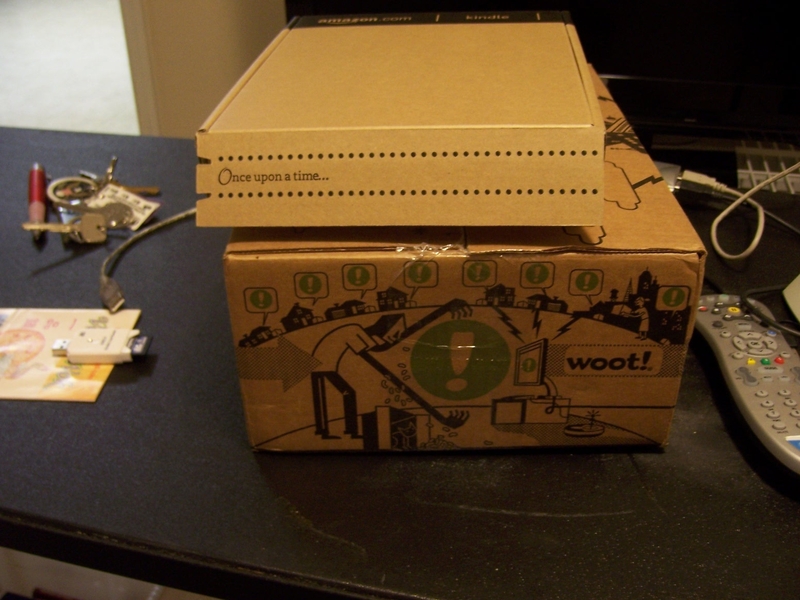
Cute box.
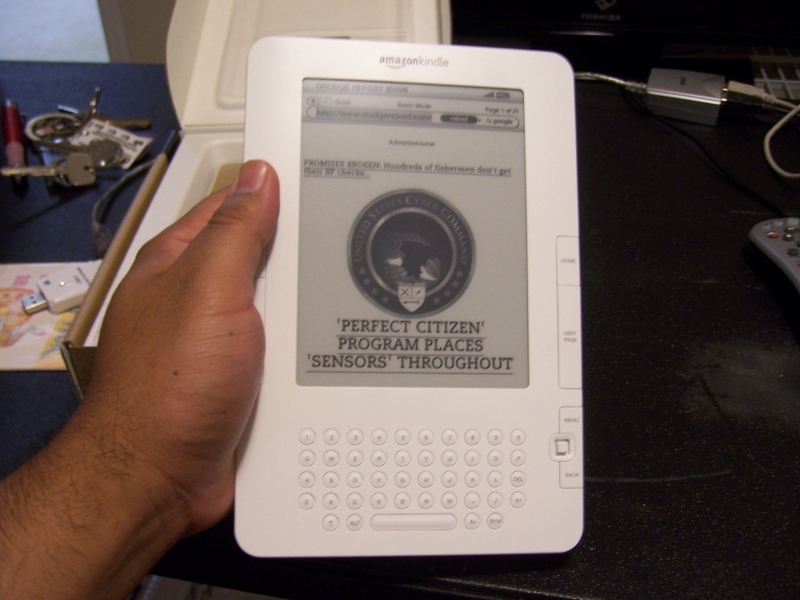
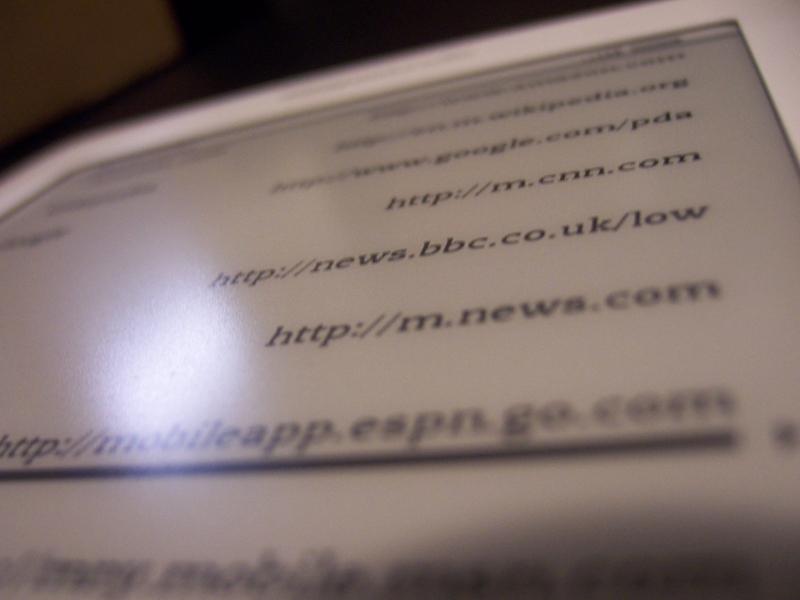
Web browser. Its slow, but its usable for pulling up news sites and weather. The refresh rate of the e-ink is pretty quick. Where it starts to chug is rendering. The 533MHz processor ought to be enough, but the software is terribly unrefined.
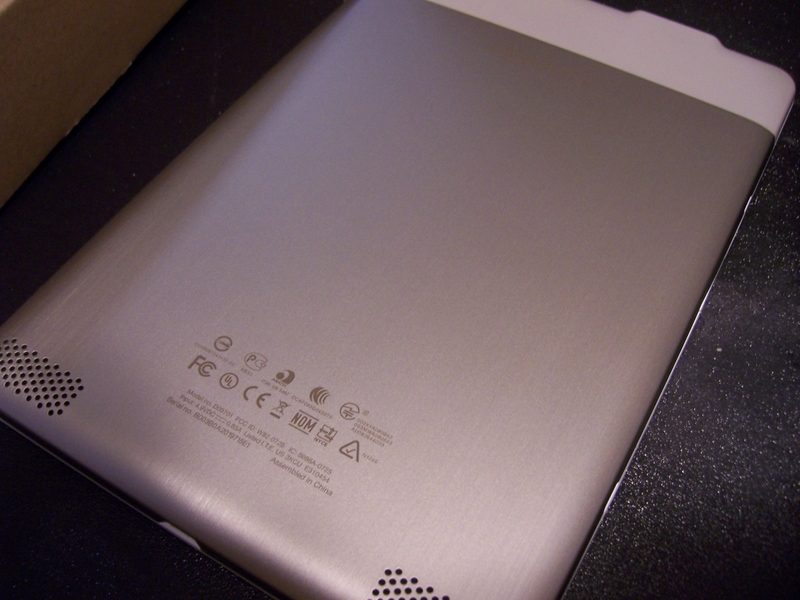
Its well made, light, and pretty. There are stereo speakers, which seems silly. It also seems silly that 3G data service is included for free but wifi is omitted.
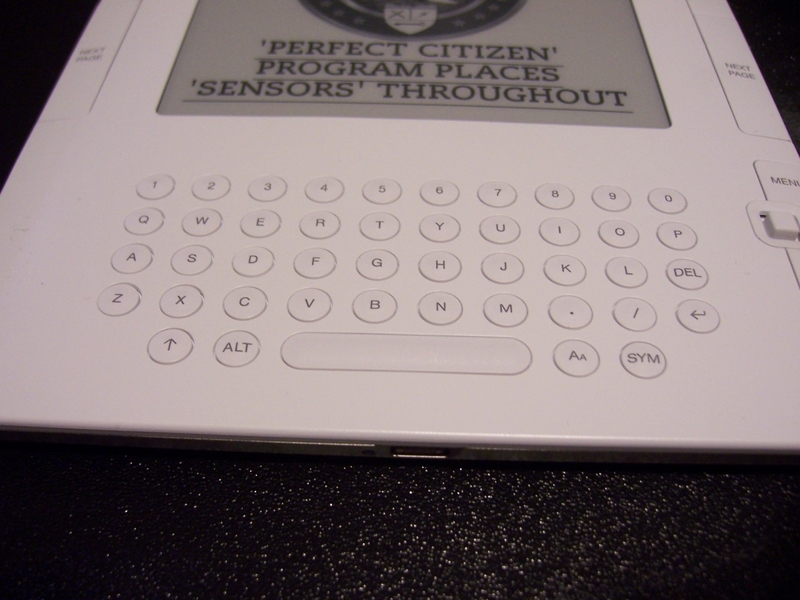
Its reasonable to type on, like a large mobile phone.
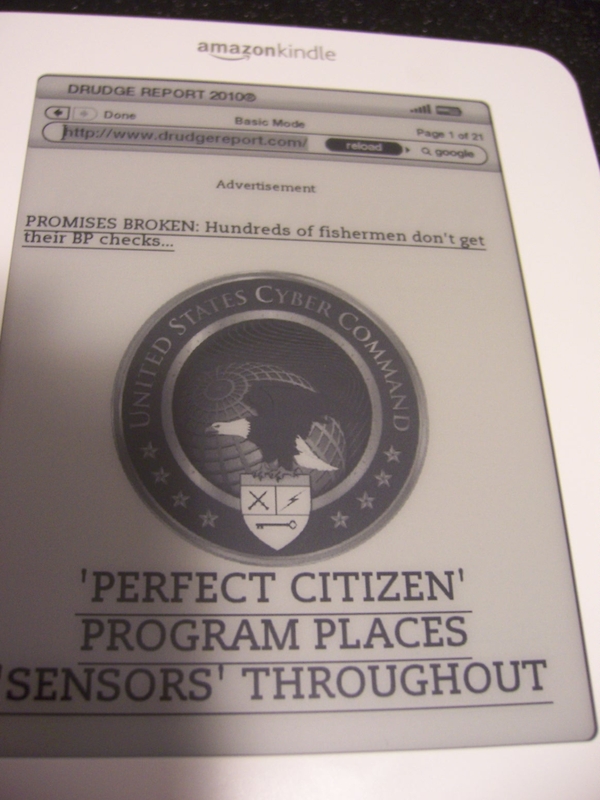
Images look crisp. Kindle 2 gets a 16-level grayscale display, a vast improvement over Kindle 1.
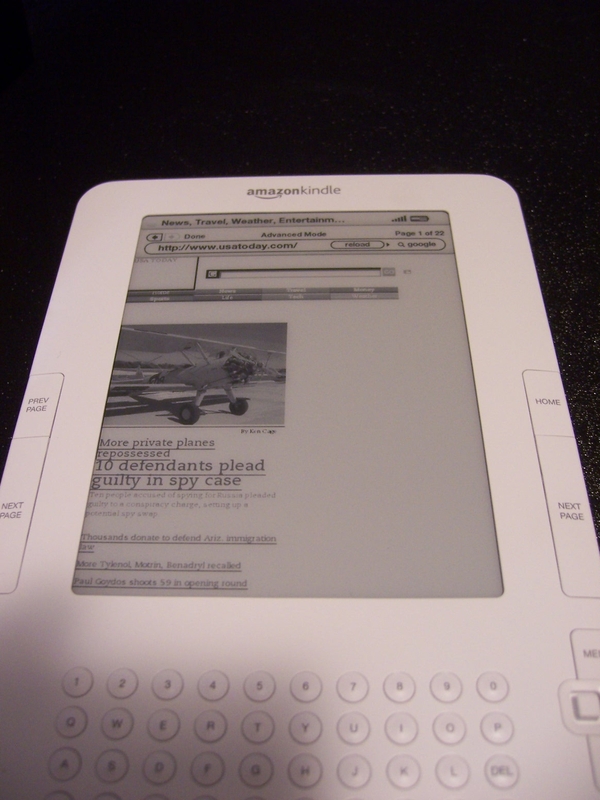
The browser has an advanced and basic mode. This is usatoday.com in advanced mode. It looks like Netscape 2.0 tried to render it. The page was retrieved in reasonable time but the device chugged and chugged and chugged. Again, the e-ink refresh rate wasn't the issue since PDFs appear quickly. Its the software.
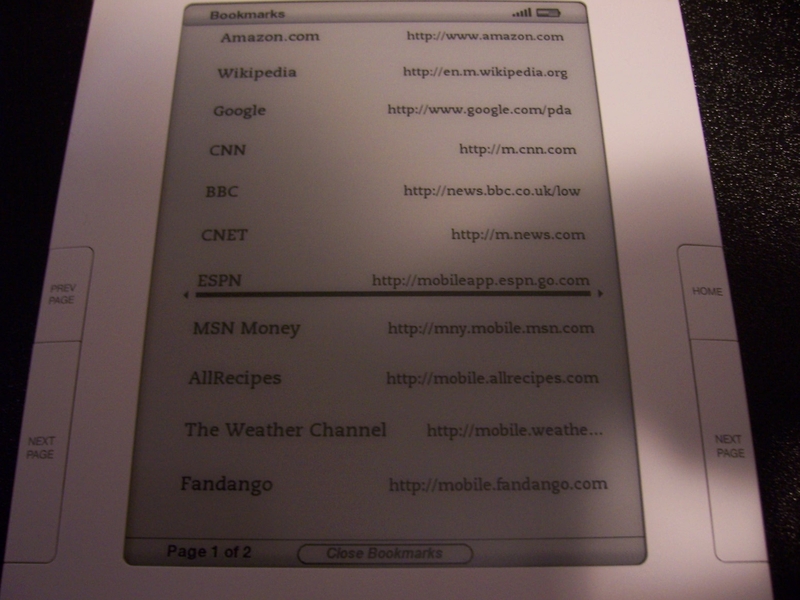
Handy list of bookmarks. If you happen to be reading a newspaper article (they charge for automatically delivered newspaper subscriptions) and want more info, you can look it up on the device itself. That's the only situation where I can really imagine needing web access on the Kindle.
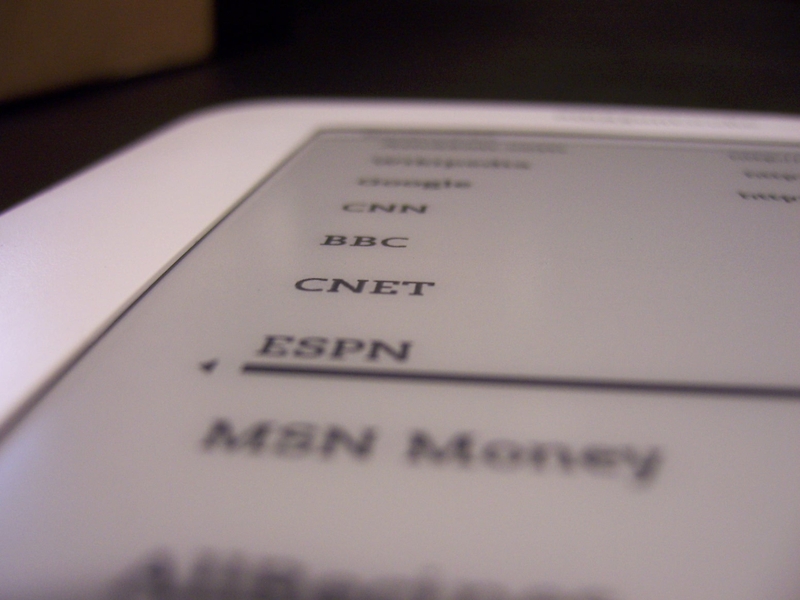
E-ink is really pretty. Its very comfortable to read, but I never have eye strain problems with LCD displays anyway. I grew up on Sega Game Gear after all.
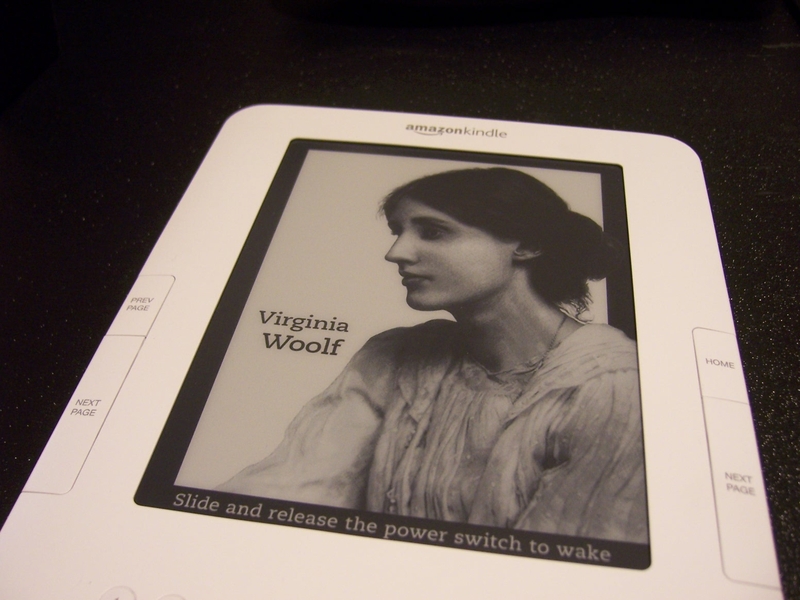
If you leave it sitting long enough or hit the power switch, it displays a portrait of an author, a relaxing scene, or some book-related theme.
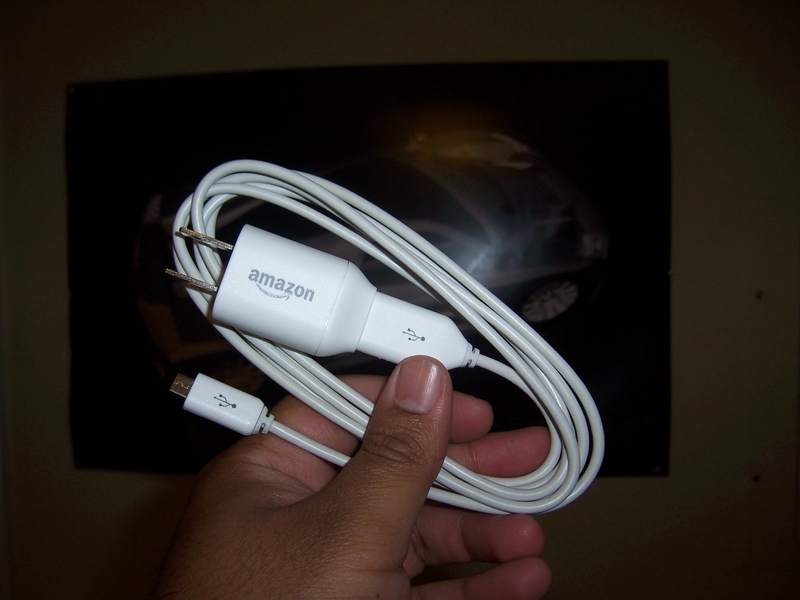
A simple USB cable and USB wall charger.
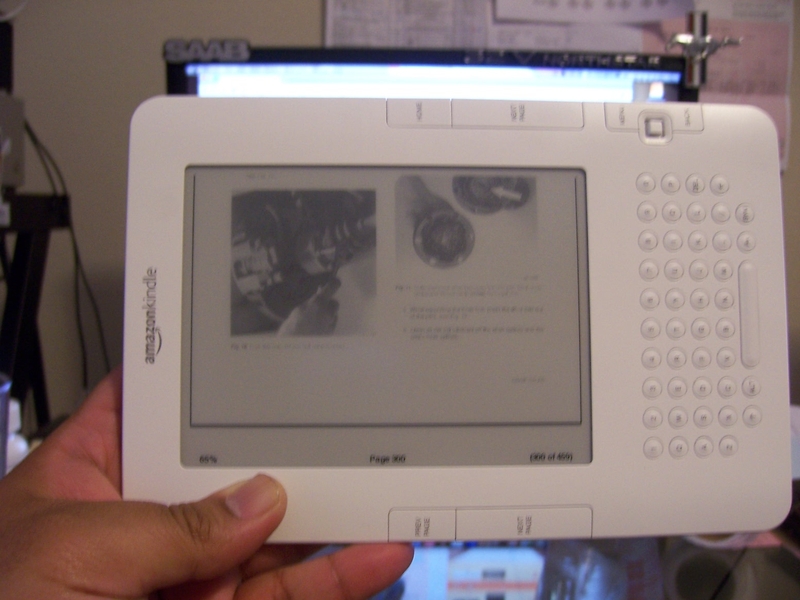
This is the BMW 5-series service manual in PDF. The Kindle is unable to zoom or pan or adjust contrast, so its barely readable. The images in this example actually look pretty usable, but the text is blurry and faded. Switching to landscape mode helps a little bit. This is pretty pathetic for a device designed for reading documents and books.
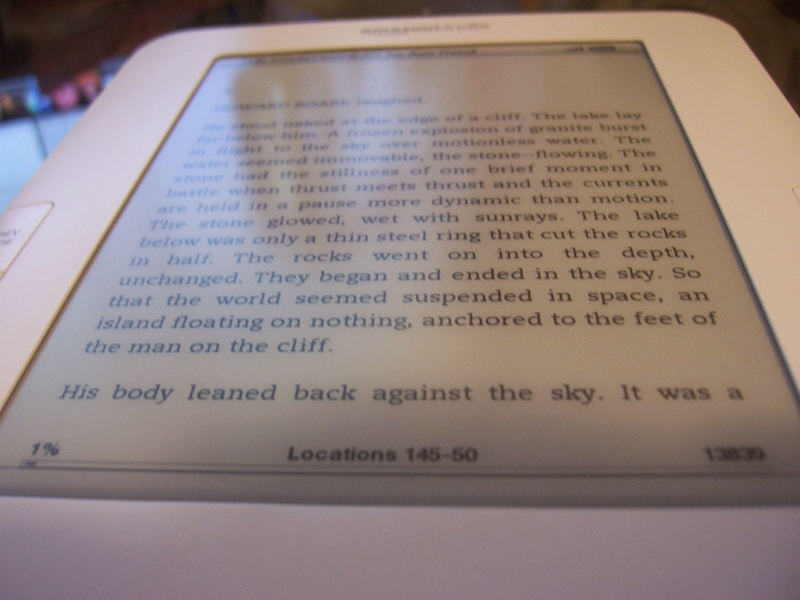
I converted some Ayn Rand books from PDF to MOBI using a free program called Calibre. Calibre tries to be the iTunes of e-books, organizing your books, sorting them, and converting them to one of a dozen supported formats. Since Calibre was able to recognize the raw text in the PDF, it looks really nice. The delay when going from page to page is very brief. The pacing is natural, faster than turning a real page.
It locked up on me right at this point. I had to reset it by holding the power button down for 15 seconds and waiting a couple minutes for it to reboot.
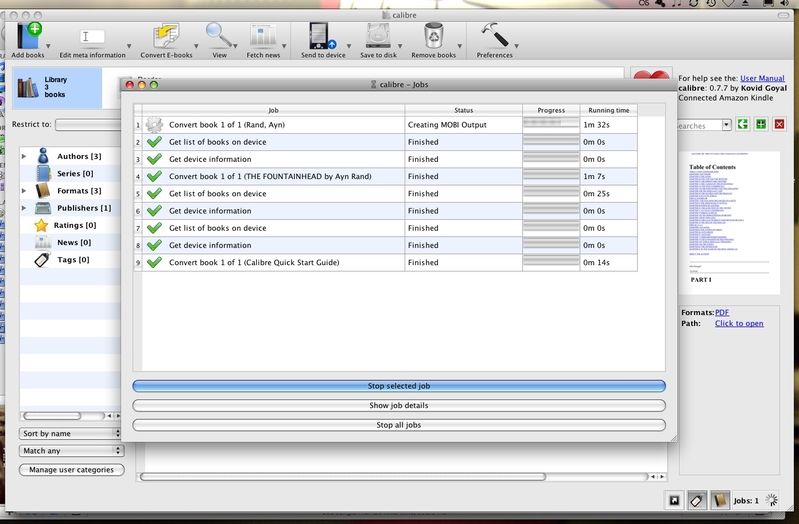
This is Calibre, available for Windows, Mac, and Linux. Its a bit crude but it gets the job done.
The Kindle also does text to speech which is crisp and clear thanks to two speakers. The two voices, male and female, sound terribly generic, so dont expect it to magically turn your $10 books into $50 audio books. Its sufficient enough to get the job done, but I'd only use it for articles and documents rather than entire novels.
Kindle plays MP3s too, poorly. It sounds nice, but there are no on-screen controls. You copy the MP3s via USB, choose "play mp3" from the "Experimental" menu, and it plays through all of the files in order. There is no random, no shuffle, no artist/title info, no music store. You hit Alt+F to switch to the next song or Alt+Space to pause. To unpause, you have to go back to the home page, hit the Menu button, choose Experimental, and choose "Play MP3" again. It really is an experimental function, implemented very poorly.
Overall, the Kindle does one thing well: Reading text-based books. It does everything else crudely and poorly. The hardware is capable of doing a lot, but Amazon's software feels like an early release. Version 2.3 makes me wonder how awful Version 1.0 was.
As a document reader: 3/5 (support only for PDF, AMZ, MOBI, and TXT. Not very versatile or capable, but what its capable of viewing is easy on the eyes and flips forward quickly.
As a music player: 1/5 (Pathetic)
As a web device: 1/5 (One point for free unlimited 3G if you're really desperate)
As an Amazon book reader: 4/5
Overall: 2.5/5
I do intend to read lots of books that I've missed out on because I hate the physical paper format of books, so as long as I stick to the tasks the device was intended for, I should be reasonably satisfied. Otherwise, I can still sell it for about what I paid (if not more) since I got $40 off through Woot.
At $150, its only $50 more than a Sony E-reader that has far fewer features (though the Sony does have a backlight). I feel sorry for all of the people who paid over $300 -- the Kindle's software needs a lot of work before I can recommend it to others, but I can enjoy it for what it is.
Cute box.
Web browser. Its slow, but its usable for pulling up news sites and weather. The refresh rate of the e-ink is pretty quick. Where it starts to chug is rendering. The 533MHz processor ought to be enough, but the software is terribly unrefined.
Its well made, light, and pretty. There are stereo speakers, which seems silly. It also seems silly that 3G data service is included for free but wifi is omitted.
Its reasonable to type on, like a large mobile phone.
Images look crisp. Kindle 2 gets a 16-level grayscale display, a vast improvement over Kindle 1.
The browser has an advanced and basic mode. This is usatoday.com in advanced mode. It looks like Netscape 2.0 tried to render it. The page was retrieved in reasonable time but the device chugged and chugged and chugged. Again, the e-ink refresh rate wasn't the issue since PDFs appear quickly. Its the software.
Handy list of bookmarks. If you happen to be reading a newspaper article (they charge for automatically delivered newspaper subscriptions) and want more info, you can look it up on the device itself. That's the only situation where I can really imagine needing web access on the Kindle.
E-ink is really pretty. Its very comfortable to read, but I never have eye strain problems with LCD displays anyway. I grew up on Sega Game Gear after all.
If you leave it sitting long enough or hit the power switch, it displays a portrait of an author, a relaxing scene, or some book-related theme.
A simple USB cable and USB wall charger.
This is the BMW 5-series service manual in PDF. The Kindle is unable to zoom or pan or adjust contrast, so its barely readable. The images in this example actually look pretty usable, but the text is blurry and faded. Switching to landscape mode helps a little bit. This is pretty pathetic for a device designed for reading documents and books.
I converted some Ayn Rand books from PDF to MOBI using a free program called Calibre. Calibre tries to be the iTunes of e-books, organizing your books, sorting them, and converting them to one of a dozen supported formats. Since Calibre was able to recognize the raw text in the PDF, it looks really nice. The delay when going from page to page is very brief. The pacing is natural, faster than turning a real page.
It locked up on me right at this point. I had to reset it by holding the power button down for 15 seconds and waiting a couple minutes for it to reboot.
This is Calibre, available for Windows, Mac, and Linux. Its a bit crude but it gets the job done.
The Kindle also does text to speech which is crisp and clear thanks to two speakers. The two voices, male and female, sound terribly generic, so dont expect it to magically turn your $10 books into $50 audio books. Its sufficient enough to get the job done, but I'd only use it for articles and documents rather than entire novels.
Kindle plays MP3s too, poorly. It sounds nice, but there are no on-screen controls. You copy the MP3s via USB, choose "play mp3" from the "Experimental" menu, and it plays through all of the files in order. There is no random, no shuffle, no artist/title info, no music store. You hit Alt+F to switch to the next song or Alt+Space to pause. To unpause, you have to go back to the home page, hit the Menu button, choose Experimental, and choose "Play MP3" again. It really is an experimental function, implemented very poorly.
Overall, the Kindle does one thing well: Reading text-based books. It does everything else crudely and poorly. The hardware is capable of doing a lot, but Amazon's software feels like an early release. Version 2.3 makes me wonder how awful Version 1.0 was.
As a document reader: 3/5 (support only for PDF, AMZ, MOBI, and TXT. Not very versatile or capable, but what its capable of viewing is easy on the eyes and flips forward quickly.
As a music player: 1/5 (Pathetic)
As a web device: 1/5 (One point for free unlimited 3G if you're really desperate)
As an Amazon book reader: 4/5
Overall: 2.5/5
I do intend to read lots of books that I've missed out on because I hate the physical paper format of books, so as long as I stick to the tasks the device was intended for, I should be reasonably satisfied. Otherwise, I can still sell it for about what I paid (if not more) since I got $40 off through Woot.
At $150, its only $50 more than a Sony E-reader that has far fewer features (though the Sony does have a backlight). I feel sorry for all of the people who paid over $300 -- the Kindle's software needs a lot of work before I can recommend it to others, but I can enjoy it for what it is.
Re: I bought a Kindle. I don't know why.
UPDATE: Apparently the 2.5 OS update allows for PDF zoom and pan. Installing now.
-
AppleBonker
- Posts: 17313
- Joined: Thu Jul 17, 2008 4:40 am
- Car: Useful: 2011 Nissan Titan Pro-4x
Daily: 2003 Honda Accord EX-L Coupe
Hers: 2014 Nissan Rogue SL AWD - Location: NW Indiana
Re: I bought a Kindle. I don't know why.
Well that was a half-a**ed review then. Get it together, man!Jesda wrote:UPDATE: Apparently the 2.5 OS update allows for PDF zoom and pan. Installing now.
-
MinisterofDOOM
- Moderator
- Posts: 30928
- Joined: Wed May 19, 2004 5:51 pm
- Car: 1962 Corvair Monza
1961 Corvair Lakewood
1974 Unimog 404
1997 Pathfinder XE
2005 Lincoln LS8
Former:
1995 Q45t
1993 Maxima GXE
1995 Ranger XL 2.3
1984 Coupe DeVille - Location: The middle of nowhere.
Re: I bought a Kindle. I don't know why.
Hmmm...
This reinforces my choice to go with a Nook 3G if I do end up getting one of these in the next few months.
I'm glad you mentioned Calibre. That's actually something I would require before I'd be willing to make any ebook reader purchase. I assume it's not able to work with DRM'd titles, right? If it allowed cross-compatibility with non-native shops (like using Kobo purchases on a Kindle) it'd be indispensable.
This reinforces my choice to go with a Nook 3G if I do end up getting one of these in the next few months.
I'm glad you mentioned Calibre. That's actually something I would require before I'd be willing to make any ebook reader purchase. I assume it's not able to work with DRM'd titles, right? If it allowed cross-compatibility with non-native shops (like using Kobo purchases on a Kindle) it'd be indispensable.
-
PoorManQ45
- Posts: 16676
- Joined: Fri Jul 02, 2004 5:13 pm
Re: I bought a Kindle. I don't know why.
So, can you explain the requirement for an account? Is it a monthly fee or anything, or are you only charged if you buy a book?
I didn't realize that the web browser is built in. If that's included with your account there is definitely hope for tethering this thing as they are expecting a certain amount of internet traffic from this thing. If you were to keep it to the basics you might be able to get away with it.
I didn't realize that the web browser is built in. If that's included with your account there is definitely hope for tethering this thing as they are expecting a certain amount of internet traffic from this thing. If you were to keep it to the basics you might be able to get away with it.
-
MinisterofDOOM
- Moderator
- Posts: 30928
- Joined: Wed May 19, 2004 5:51 pm
- Car: 1962 Corvair Monza
1961 Corvair Lakewood
1974 Unimog 404
1997 Pathfinder XE
2005 Lincoln LS8
Former:
1995 Q45t
1993 Maxima GXE
1995 Ranger XL 2.3
1984 Coupe DeVille - Location: The middle of nowhere.
Re: I bought a Kindle. I don't know why.
No monthly fee. Charged when you buy a book. Since the Kindle can only directly download from the Amazon e-book store, everything's tied to your amazon account. Nook's the same way. Borders' Kobo is the same way (but without 3G). Purchases made directly through your Kindle are tied directly to your Amazon account. If you have Kindle software on other devices (like an Android or iPhone) your purchases are accessible there, too, as long as you sign into the software under the same account.
The device obviously isn't restricted to Amazon-sourced e-books, but only the Amazon purchases have anything to do with your account.
The device obviously isn't restricted to Amazon-sourced e-books, but only the Amazon purchases have anything to do with your account.
Re: I bought a Kindle. I don't know why.
Well, PDF zoom doesn't make the greyed out text in the BMW manual a whole lot easier to read. Its just greyed out and bigger.