
Last Photoshop contest of 2009!!! It's TRUCK TIME!!!
-
Nice Pants
- Posts: 8
- Joined: Thu Jul 30, 2009 7:44 pm
-
kornmanz
- Posts: 2926
- Joined: Wed Sep 26, 2007 5:01 am
- Car: 89 240sx Hatch SR Powa'd
- Location: Santa Fe, NM
- Contact:
Re: FN-QR (audtatious)
Thats pro right there.audtatious wrote:I was goofin off....
-
PBfrEAk
- Posts: 2074
- Joined: Thu Sep 16, 2004 6:17 am
- Car: '00 Frontier (Newb) '92 Maxima (Daily), '93 Max (Donor), '91 Max (Project) '77 F-150 (Funmobile)
Re: (Nice Pants)
I'm aware it doesn't blend. Hence the words: "work in progress"Nice Pants wrote:The cut is horrible, and it doesn't blend.
It is interesting that that seemed easy to you considering you'd be completely wrong.Nice Pants wrote:You can easily tell that you picked new wheels and just put them on.
I pieced that together from a few different images.
I think it's a little bold to critique mine when your "chop" consisted of a color change (to the entire image I might add minus of course the headlamp and maybe the mirror?) and some s***ty low resolution wheels.
Thanks for the opinion though.
-
Nice Pants
- Posts: 8
- Joined: Thu Jul 30, 2009 7:44 pm
First of all, my "chop" wasn't just a color change. I added in new wheels, brakes, and tinting. I messed with the color of the image as a whole to make everything blend a little better, as well as to hide a few errors, and added a separate color change to the body. Also, it doesn't matter that you pieced different pictures together to make what you did, it is still easy to tell that those look like wheels you just put on since they don't blend. Before you tell me it's a work in progress, again, shut the f*** up. That doesn't matter, because the point still stands that it doesn't blend. Resorting to that is just an excuse as to why you didn't make it blend in the first place.
Those aren't low resolution wheels as well, they're just blurred to make them blend in and not just put on top like everyone else I see in this thread.
You trying to prove me wrong in itself is asinine, and ignorant. I can tell from what you showed me, that you're not that good at photoshop, and you're pulling most of that s*** out of your a**. Before you say that I suck too, that still doesn't mean that my point isn't valid. You suck at photoshop, and the majority of everyone else here does too, so shove it.
Those aren't low resolution wheels as well, they're just blurred to make them blend in and not just put on top like everyone else I see in this thread.
You trying to prove me wrong in itself is asinine, and ignorant. I can tell from what you showed me, that you're not that good at photoshop, and you're pulling most of that s*** out of your a**. Before you say that I suck too, that still doesn't mean that my point isn't valid. You suck at photoshop, and the majority of everyone else here does too, so shove it.
-
Captain Slow

- Posts: 731
- Joined: Sat Mar 15, 2008 5:36 pm
- Car: 1991 Saab 9000 CD,
1997 Chevrolet Silverado 1500 - Location: 43311
Re: (Nice Pants)
That was really uncalled for.
-
PBfrEAk
- Posts: 2074
- Joined: Thu Sep 16, 2004 6:17 am
- Car: '00 Frontier (Newb) '92 Maxima (Daily), '93 Max (Donor), '91 Max (Project) '77 F-150 (Funmobile)
Re: (Nice Pants)
Interesting considering I never said I was good at photoshop.Nice Pants wrote:First of all, my "chop" wasn't just a color change. I added in new wheels, brakes, and tinting. I messed with the color of the image as a whole to make everything blend a little better, as well as to hide a few errors, and added a separate color change to the body. Also, it doesn't matter that you pieced different pictures together to make what you did, it is still easy to tell that those look like wheels you just put on since they don't blend. Before you tell me it's a work in progress, again, shut the f*** up. That doesn't matter, because the point still stands that it doesn't blend. Resorting to that is just an excuse as to why you didn't make it blend in the first place.
Those aren't low resolution wheels as well, they're just blurred to make them blend in and not just put on top like everyone else I see in this thread.
You trying to prove me wrong in itself is asinine, and ignorant. I can tell from what you showed me, that you're not that good at photoshop, and you're pulling most of that s*** out of your a**. Before you say that I suck too, that still doesn't mean that my point isn't valid. You suck at photoshop, and the majority of everyone else here does too, so shove it.
Ever.
Now little boy, run on to your mommy and show her how you e-schooled me on being a photoshop newb on a NISSAN AND INFINITI FORUM.
Congrats good sir. I hope your E-go has grown exponentially.
Oh, and I love the brakes you added to your Armada btw.
Wonderful touch.
-
Nice Pants
- Posts: 8
- Joined: Thu Jul 30, 2009 7:44 pm
Re: (PBfrEAk)
Sorry if I offended you or anyone. I was out of line, but concerning your points above:PBfrEAk wrote:
Interesting considering I never said I was good at photoshop.
Ever.
Now little boy, run on to your mommy and show her how you e-schooled me on being a photoshop newb on a NISSAN AND INFINITI FORUM.
Congrats good sir. I hope your E-go has grown exponentially.
Oh, and I love the brakes you added to your Armada btw.
Wonderful touch.
1. It doesn't matter if you said you were good or not, I was telling you what I thought, and I never even said that you said that you were.2. Being on a Nissan forum doesn't mean that I can't "school" you on something that doesn't pertain to the theme of this forum. You used photoshop, and no matter how bluntly I was, what I said is true. Take the criticism.
You can't see the breaks because it's too dark lmfao. I made it a tad too dark lol. Love your sarcasm too!
-
PBfrEAk
- Posts: 2074
- Joined: Thu Sep 16, 2004 6:17 am
- Car: '00 Frontier (Newb) '92 Maxima (Daily), '93 Max (Donor), '91 Max (Project) '77 F-150 (Funmobile)
Re: (Nice Pants)
Thank you.Nice Pants wrote:
Sorry if I offended you or anyone. I was out of line, but concerning your points above:
1. It doesn't matter if you said you were good or not, I was telling you what I thought, and I never even said that you said that you were.2. Being on a Nissan forum doesn't mean that I can't "school" you on something that doesn't pertain to the theme of this forum. You used photoshop, and no matter how bluntly I was, what I said is true. Take the criticism.
You can't see the breaks because it's too dark lmfao. I made it a tad too dark lol. Love your sarcasm too!
And I LOVE criticism, however when it is coupled with cockiness and attitude I'm not a fan, especially being so new to this site.
So in reference to point 1: I'm aware you never said I was good. You did say the opposite and you also say almost EVERYONE on this board sucked at photoshop.
Fortunately however, I'm not doing this to show you, impress you, or win over your approval. I'm doing it cause its a time killer and fun to mess with.Nice Pants wrote:I can tell from what you showed me, that you're not that good at photoshop, and you're pulling most of that s*** out of your a**. You suck at photoshop, and the majority of everyone else here does too, so shove it.
And in reference to your chop, considering you just covered up "mistakes" by making the picture so damn dark you can't even see the brakes you added supposedly, shows me that you are not good enough to do it without making anything you've done to the car barely visible.
I'm done arguing with you.
You think I and almost everyone else on here sucks, you think you are the best.
Your thought process will never change so I'm ok with not discussing things with you again.
Enjoy your life.
//END THREAD JACKBACK TO PHOTOSHOP GOODNESS!!!!!!!!!!!!!!!!!!!!!!!!!!!!!!!!!!!!!!

Re: Last Photoshop contest of 2009!!! It's TRUCK TIME!!! (audtatious)
who said trucks cant get sidewayz....
Re: Last Photoshop contest of 2009!!! It's TRUCK TIME!!! (takk808)
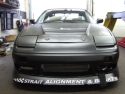
Here is my entry

Re: Last Photoshop contest of 2009!!! It's TRUCK TIME!!! (bunda4th)
way to steal my t-shirt.
nice man. love everything but the wheels. i think its the lack of depth with them for me.
nice man. love everything but the wheels. i think its the lack of depth with them for me.
-
cerealboxloser

- Posts: 33
- Joined: Wed Jan 28, 2009 5:17 pm
- Car: 98 eclipse
Re: Last Photoshop contest of 2009!!! It's TRUCK TIME!!! (_b.jaye_)
dopetakk808 wrote:who said trucks cant get sidewayz....
Got bored
-
King Ranzo

- Posts: 11326
- Joined: Sun Jul 29, 2007 1:57 pm
- Car: 15 Ford Focus ST
- Location: Hollyhood, Flow Riduh
- Contact:
Re: Last Photoshop contest of 2009!!! It's TRUCK TIME!!! (bunda4th)
I'm diggin the headlights, but those wheels are icky.bunda4th wrote:Here is my entry
Re: Last Photoshop contest of 2009!!! It's TRUCK TIME!!! (King Ranzo)
The wheel came a bit too shiny when I finalize it and after merging all the layers I didn't feel like re-doing the wheels. I might do a few fixes later.King Ranzo wrote:
I'm diggin the headlights, but those wheels are icky.
Re: Last Photoshop contest of 2009!!! It's TRUCK TIME!!! (bunda4th)
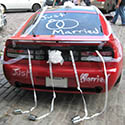
I was bored so here is my final entry:
The Armada I just included the one before I went more creative with it
But I think I like this truck more haha
The Armada I just included the one before I went more creative with it
But I think I like this truck more haha
-
Xdisaster240sX
- Posts: 3989
- Joined: Wed Oct 25, 2006 6:57 pm
- Car: S13 Hatch, R32 GTS4
- Location: Baltimore
Re: (PBfrEAk)
^ IMO you win
-
PEZi
- Posts: 20441
- Joined: Thu Dec 11, 2008 8:21 am
- Car: Mitsubishi Lancer Evolution IX Mitsubishi Racing Edition
- Location: Pikes Peak, CO
- Contact:
Re: Last Photoshop contest of 2009!!! It's TRUCK TIME!!! (bunda4th)
this is my favorite... any chance you can tweak it a little more to make the tires look more natural and not......... shopped?bunda4th wrote:
Re: Last Photoshop contest of 2009!!! It's TRUCK TIME!!! (PEZi720)
Yea, the tire was the hard part. I will try and fix it when I have some time, since busy with senior project.
I will see what I can do.
I will see what I can do.
Re: Last Photoshop contest of 2009!!! It's TRUCK TIME!!! (bunda4th)
Did a few tweaks and tried to get the tires the best I can but its not easy.
-
PBfrEAk
- Posts: 2074
- Joined: Thu Sep 16, 2004 6:17 am
- Car: '00 Frontier (Newb) '92 Maxima (Daily), '93 Max (Donor), '91 Max (Project) '77 F-150 (Funmobile)
Re: Last Photoshop contest of 2009!!! It's TRUCK TIME!!! (bunda4th)
You know really all you need to do is tweak the rims and that would look bangin'.
If you use PS, just use Transform, and use distort and rotate and warp and such to make those rims look not so out of place and it will look great!!
If you use PS, just use Transform, and use distort and rotate and warp and such to make those rims look not so out of place and it will look great!!
-
nissanmstr
- Posts: 8
- Joined: Tue Sep 08, 2009 9:23 am
Re: Last Photoshop contest of 2009!!! It's TRUCK TIME!!! (audtatious)
This is my first attempt at anything like this, but I downloaded gimp and gave it a try.All tips and suggestions welcome it was fun trying
-
Murdered_T

- Posts: 5169
- Joined: Fri Mar 14, 2008 7:27 am
- Car: 1979 Datsun 280ZX byach
Re: Last Photoshop contest of 2009!!! It's TRUCK TIME!!! (nissanmstr)
It is not bad for a first try. For wheels since the shadow and light is the same it looks weird. To give it more of a variation use black and white at a low opacity (not sure how in gimp) and color in where it shine and where th shadow is to match the original light source. Also when doing wheels find one with brakes inside. If you do what you did i would mask the inside of the wheel hole and color it black then find some bbk and place it inside and erase where the spokes are above it.nissanmstr wrote:This is my first attempt at anything like this, but I downloaded gimp and gave it a try.All tips and suggestions welcome it was fun trying
Mask area when doing color change, so places that are black or chrome won't change color to the car as well. Overall its not bad for a first attempt.
-
Murdered_T
- Posts: 5169
- Joined: Fri Mar 14, 2008 7:27 am
- Car: 1979 Datsun 280ZX byach
-
AZhitman

- Administrator
- Posts: 54542
- Joined: Mon Apr 29, 2002 2:04 am
- Car: 58 L210, 63 Bluebird RHD, 64 NL320, 65 SPL310, 66 411 RHD, 67 WRL411, 68 510 SR20, 75 280Z RB25, 77 620 SR20, 79 B310, 90 Z32, 91 GTi-R, 92 Silvia Qs, 98 S14, 23 Z.
- Location: Surprise, Arizona
- Contact:
Re: (Nice Pants)
Who the hell are you?Nice Pants wrote:First of all, my "chop" wasn't just a color change. I added in new wheels, brakes, and tinting. I messed with the color of the image as a whole to make everything blend a little better, as well as to hide a few errors, and added a separate color change to the body. Also, it doesn't matter that you pieced different pictures together to make what you did, it is still easy to tell that those look like wheels you just put on since they don't blend. Before you tell me it's a work in progress, again, shut the f*** up. That doesn't matter, because the point still stands that it doesn't blend. Resorting to that is just an excuse as to why you didn't make it blend in the first place.
Those aren't low resolution wheels as well, they're just blurred to make them blend in and not just put on top like everyone else I see in this thread.
You trying to prove me wrong in itself is asinine, and ignorant. I can tell from what you showed me, that you're not that good at photoshop, and you're pulling most of that s*** out of your a**. Before you say that I suck too, that still doesn't mean that my point isn't valid. You suck at photoshop, and the majority of everyone else here does too, so shove it.
Stop sucking at Photoshop in this thread.
p.s. Tell someone to STFU again and see what happens.